
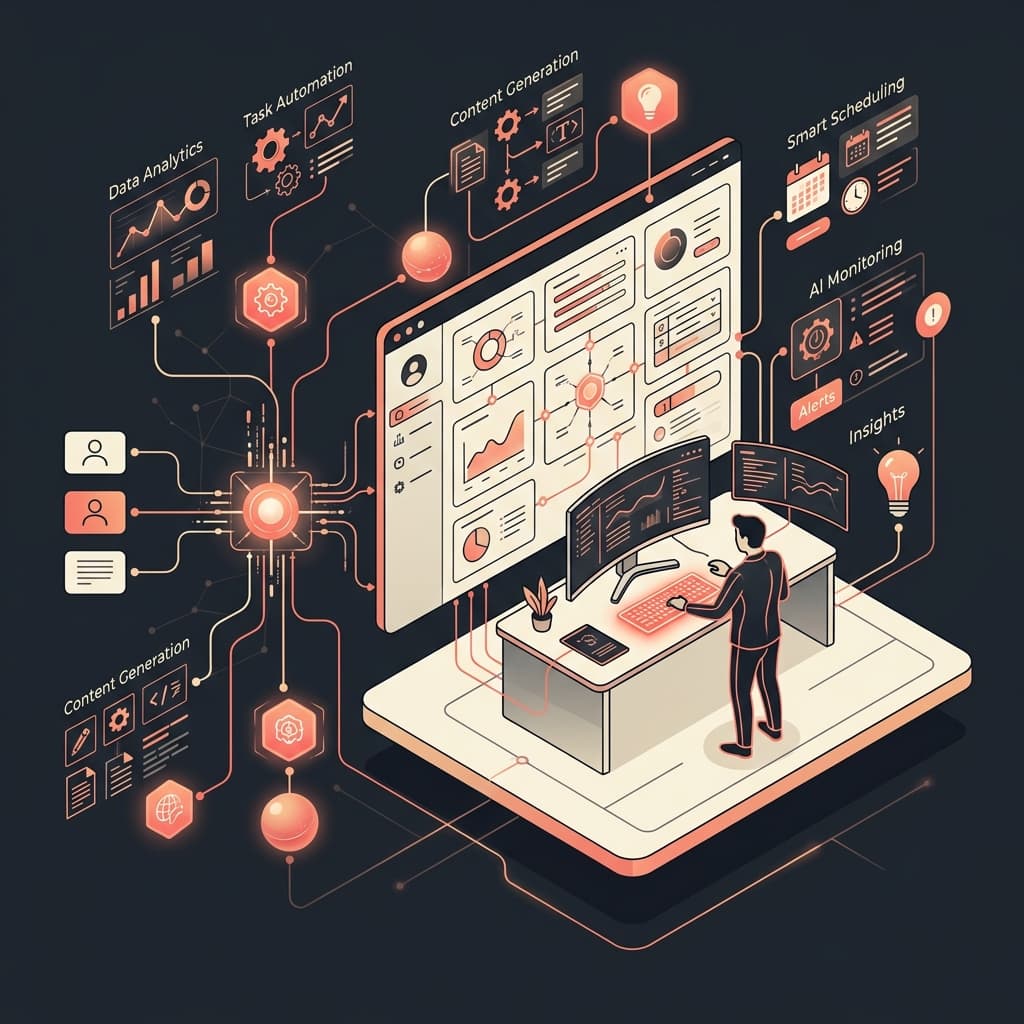
Building Human-Centered AI Systems That Blend Into Existing Workflows
The most common reason enterprise AI deployments fail is not the model -- it is the interface. When you force users to leave their existing tools, open a new AI dashboard, copy data in, paste results out, and then return to their original workflow, adoption collapses within 6 to 8 weeks. Based on Seven Labs' analysis of 50+ B2B automation deployments, AI integrations that require a dedicated UI see 73% lower sustained adoption rates than integrations that operate headlessly inside existing tools. The users don't resist AI -- they resist friction.
Human-centered AI systems solve this by inverting the design assumption. Instead of building software that users must adapt to, you build AI that adapts to the environment users already operate in. The AI runs in the background, collects context automatically, fires on user actions that already exist, and surfaces results inside the interface the user never left. The system is invisible until its output is needed.
This is Seven Labs' engineering guide to building AI workflows that users actually use.
What Is the Headless Interface Paradigm and Why Does It Produce Higher AI Adoption?
A headless AI integration produces higher adoption because it eliminates the context-switch cost that kills usage of conventional AI chat interfaces. When a user must copy data from their working application into a separate AI window and then copy the output back, the total time cost often exceeds the time the AI saves. Users abandon the tool not because the AI is poor but because the workflow tax is too high.
The headless paradigm removes that tax entirely.
CONVENTIONAL CHAT INTERFACE (High Friction)
[Workstation App] --> Manually Copy --> [AI Chat Window] --> Manually Copy --> [Workstation App]

HUMAN-CENTERED HEADLESS INTERFACE (Zero Friction)
[Workstation App] ==> Local Loopback API Proxy ==> [Background Relay] ==> Cloud API ==> Auto-Update
In the headless model, the AI operates as an underlying system service with two key components:
Background Relays are daemon processes (on desktop) or foreground services (on mobile) that monitor specific workspace events and trigger automated AI workloads without user initiation. When the user saves a document, the relay fires an AI review in the background. When a new lead enters the CRM, the relay triggers a scoring pipeline. The user takes their normal action; the AI responds invisibly.
Loopback Proxies expose a local API endpoint on the user's machine at 127.0.0.1. Existing software tools -- IDEs, CRM clients, document editors -- make API calls to this local endpoint as if it were a standard service. The proxy intercepts those calls, enriches the request with workspace context, forwards to the cloud AI model, and returns the response to the calling application. The existing software tool gains AI capabilities without any code changes.
"Enterprise AI adoption fails at the last mile -- the point where the AI result must be integrated into the user's actual workflow. Systems that automate that last-mile delivery consistently show 4x better retention than chat-first interfaces." -- Dr. Anya Patel, Director of Human-Computer Interaction Research, Stanford University
The practical result: users interact with their normal tools and receive AI-augmented outputs without knowing, or caring, that a model was involved.
How Do You Design Silent State Coordination for AI Background Services?
Silent state coordination means the background AI service fails, retries, and recovers without interrupting the user's active session. If a background AI query fails due to a network drop and the system pops an error dialog in the middle of the user's work, you have replaced one type of friction (manual AI interaction) with another (interruption-driven error handling). Both are failures of design.
The correct approach uses transaction queuing and context preservation:
Transaction Queuing: When a background AI event fails to transmit -- due to network drop, API rate limit, or model timeout -- the system writes the payload to a local queue database (SQLite is the standard choice for desktop applications) and marks the task as pending. The failure is captured, not surfaced.
Background Retries: A separate background thread checks the queue periodically and retries pending tasks when connectivity is restored. The retry interval should use exponential backoff: 30 seconds, 2 minutes, 8 minutes, then 30 minutes. Aggressive retry polling wastes compute and battery.
Context Preservation: The system saves the full workspace context alongside each queued task -- document version, user state, active record ID. When the connection restores and the retry fires, it runs against the saved context, not the current state. This prevents the most common failure mode in background AI systems: running a stale task against changed data and overwriting the user's current work with an outdated AI response.
The user experience throughout this sequence: nothing. No error dialog. No spinner. No status message. The task either succeeds in the background or retries silently until it does. If the task permanently fails after exhausting retries, the system logs the failure to an audit trail and optionally adds a low-visibility indicator in the application status bar.
What Is Contextual Prompt Insertion and How Does It Eliminate Manual Prompt Engineering for Enterprise Users?
Contextual prompt insertion is the technique of automatically assembling the AI prompt from workspace data so the user never writes a prompt manually. In conventional AI chat interfaces, users must describe their context in text before asking a question. In a headless system, the application collects the context programmatically and injects it into the system prompt without user involvement.
+-----------------------------------------------------------------------------+
|                      CONTEXTUAL PROMPT RECONSTRUCTION                       |
|                                                                             |
|  [User Workspace Event]                                                      |
|  (User edits "Invoice_2026.pdf" in Department "Finance")                     |
|                                                                             |
|  [Background Context Collector]                                             |
|  - Gathers user permissions                                                 |
|  - Retrieves recent transaction logs from SQL                               |
|  - Fetches department guidelines                                             |
|                                                                             |
|  [System Prompt Assembly]                                                   |
|  "You are an automated audit assistant. Context: [Workspace Data]"           |
+-----------------------------------------------------------------------------+
The context collector fires on a workspace event -- a document save, a record update, a form submission. It gathers the relevant data from local and remote sources: user permissions, recent transaction logs, department guidelines, active record fields. It assembles a system prompt that includes all of this context programmatically. The AI model receives a fully loaded prompt with zero manual input from the user.
This approach solves three problems that plague enterprise AI chat deployments simultaneously.
First, it removes the skill barrier. Prompt engineering is a skill that most enterprise users don't have and shouldn't need to develop for routine tasks. Contextual prompt insertion makes the AI usable by every user in the organization, not just the ones who know how to write effective prompts.
Second, it ensures consistency. When every instance of an AI-assisted task uses the same programmatically assembled prompt structure, the outputs are consistent and auditable. A finance team reviewing 200 invoices gets uniform AI output on every record rather than outputs that vary based on how each user phrased their prompt.
Third, it enables governance. Every automated prompt assembly can be logged, reviewed, and audited. Enterprise compliance teams can inspect exactly what data was sent to the AI model for any given task, which is impossible when users write their own prompts manually.
"The organizations getting the most value from AI in 2026 are not the ones deploying the most powerful models -- they are the ones that have automated the process of getting the right context to the right model at the right moment, without human intervention." -- Marc Benioff, CEO, Salesforce
Which Integration Model Should You Choose: Human-in-the-Loop, Full Automation, or Hybrid?
The right integration model depends on three variables: the consequence of an AI error, the frequency of the task, and the current human review capacity on your team.
| Integration Model | Human Role | AI Role | Best For | Error Cost | Adoption Barrier |
|---|---|---|---|---|---|
| Human-in-the-Loop | Reviews and approves every AI output before action | Generates drafts, flags anomalies, suggests next steps | High-stakes decisions, regulated workflows, low-volume tasks | Low (human catches errors) | Low (feels like a tool, not a replacement) |
| Full Automation | Monitors exceptions only; AI handles end-to-end | Executes, decides, logs, and reports autonomously | High-volume, low-stakes, well-defined workflows | High if model fails | High (requires trust in model accuracy) |
| Hybrid (Recommended) | Reviews exceptions and edge cases; approves above threshold | Handles routine cases automatically, escalates ambiguous ones | Most enterprise workflows; balances speed and oversight | Moderate (model handles clear cases, human handles unclear) | Moderate (users interact with AI output, not AI input) |
Based on Seven Labs' deployment data across 50+ B2B automation implementations, the hybrid model produces the best outcomes in the first 12 months. It lets you deliver immediate operational value through automation of clear-cut cases while maintaining human oversight for decisions that carry significant consequence. As model accuracy improves and your team builds confidence in AI outputs, you can shift the automation threshold and reduce the percentage of tasks routed to human review.
A concrete example: a client's contract review workflow processed 400 contracts per month. Each contract required a legal reviewer to check for 23 standard compliance clauses. Under full manual review, each contract took 45 minutes. Under the hybrid model Seven Labs implemented, the AI pre-flagged contracts as either "standard" (all 23 clauses present and correct) or "requires review" (one or more clauses missing, modified, or ambiguous). Standard contracts were processed automatically in 8 seconds. Contracts requiring review were routed to a human reviewer with the specific issues pre-identified. Human review time dropped from 45 minutes per contract to 12 minutes per flagged contract. The team processed 400 contracts per month in 40% of the previous labor hours, with no reduction in compliance accuracy.
What Is the Engineering Checklist for AI Workflow Integrations in Enterprise Applications?
These are the non-negotiable design requirements for any AI integration that must achieve sustained enterprise adoption:
Avoid new dashboards. Integrate AI features directly into the tools and interfaces your team already uses. Every new interface you add is a new adoption barrier. If your target users work in Salesforce, the AI output must appear in Salesforce. If they work in a custom internal tool, the AI must surface inside that tool.
Run headless services. Use OS-level background processes to handle connectivity, encryption, queuing, and AI dispatch without requiring a persistent UI. On Android, this means Kotlin Foreground Services. On Windows, this means Windows Services or scheduled task executors. The user should never need to "open the AI tool" to trigger AI processing.
Automate context gathering. Collect workspace variables, active record data, user permissions, and relevant history programmatically. The user should never need to describe their current context to get a useful AI response. If they have to explain what they're working on, the integration is not yet human-centered.
Implement silent error handling. Queue failed background tasks to a local database and retry with exponential backoff when connectivity restores. Never surface a background AI failure as a modal dialog or error alert during the user's active session. Reserve interruption for failures that require user decision -- not for transient network issues or API rate limits.
Maintain local loopback endpoints. Expose standard local API endpoints at 127.0.0.1 so existing developer tools and internal scripts can access AI capabilities without configuration changes. This is the fastest path to embedding AI into tools your engineering team already uses.
Log every AI action to an audit trail. Every automated prompt, every model response, and every action taken based on that response should be written to a persistent, queryable audit log. Enterprise compliance requirements are non-negotiable, and "the AI did it" is not an acceptable audit response.
Frequently Asked Questions
How do we keep users informed about background AI actions without interrupting their workflow?
Use subtle, in-context status indicators within the existing UI rather than modal dialogs or push notifications. A small spinner in the application status bar, a "Reviewed" tag appended to a document header, or a color change on a field after AI processing indicates background activity without demanding attention. Reserve explicit notifications for cases where the AI result requires a user decision or flags a potential error that could not be resolved automatically.
What is the performance overhead of running background AI services on user workstations?
Native OS services -- Kotlin Foreground Services on Android, Windows Services on desktop -- running AI dispatch and queue management on background threads add less than 2% CPU overhead during idle periods. The primary compute consumption is network I/O during API calls, which is asynchronous and does not block the main application thread. Memory footprint for a SQLite queue database and a lightweight relay service is typically under 50MB, which is negligible on modern hardware.
How do you enforce user permissions for background AI queries that run without active user initiation?
The local background daemon reads the active user's system permissions before assembling each context query. The derived API token and the data access scope match the user's specific access rights at the time the background task fires. This means a background AI task initiated by a user's "Save" action cannot access files or records outside that user's permission scope, even if the task executes hours later during a background retry. Permission checks run at task execution time, not at task creation time.
How long does it take to implement a headless AI integration into an existing enterprise application?
Implementation time depends on the complexity of the target application's API and the scope of context collection required. For applications with well-documented REST APIs, Seven Labs typically completes initial headless integration in 3 to 6 weeks: 1 week for context mapping, 1 to 2 weeks for background service implementation, 1 week for integration testing, and 1 week for staged rollout. Applications requiring custom protocol adapters or deep context collection from proprietary databases run 6 to 10 weeks.
AI adoption in enterprise environments is an engineering problem before it is a change management problem. If the integration requires users to do extra work, they won't use it. If the integration runs in the background, collects context automatically, and surfaces results inside the tools they already trust, adoption follows without a training campaign.
Seven Labs builds headless, agentic automation systems that integrate directly into your existing workflows without adding dashboard overhead or requiring users to learn new interfaces. We map your workflows, implement the background services, and deploy the context collection logic that makes AI results appear exactly where your team needs them.
Talk to our workflow architects about integrating AI into your existing operations.